A Smart Thermostat Needs a Schedule People Will Keep
A comfortable weekday, a quiet weekend, and an easy manual override tell you more about a thermostat than a month of unexplained automation.
A thermostat is easiest to assess on an ordinary Tuesday. One person is already up, another works in a small room from home, and somebody returns later than expected. A sharp schedule drawn from an average day may keep switching modes when a real family is inside. A comfort setting chosen without considering how the equipment recovers can also keep the system running harder than the schedule's author expected. Start by describing the house and the lives it contains before you choose which automation should control it.
The U.S. EPA's ENERGY STAR overview describes capabilities such as scheduling, learning, and location-based changes on applicable models. Presence detection and internet functions still depend on the product and how a household uses it. More control only helps when its decisions match real occupancy and its manual controls make sense to the people who live there.
Know the equipment before changing its behavior
Identify the installed heating and cooling system and the thermostat model. A heat pump with auxiliary heat is a different system from some conventional boilers, furnaces, or multi-zone installations. If the terminology is unfamiliar, use the installer paperwork or ask a qualified technician. Follow the equipment maker's approved settings. Avoid experimenting with wiring, equipment lockouts, or backup heat rules without the knowledge and authorizations those changes require.
Find out what the thermostat measures and where that measurement occurs. A hallway near a staircase may not reflect the temperature at a desk by an exterior wall. A sunlit thermostat can have a different experience from a shaded room. If the model supports remote sensors, read how it chooses, averages, or schedules them. A sensor on a windowsill or above a heat source can send the wrong signal even when it connects and updates perfectly.
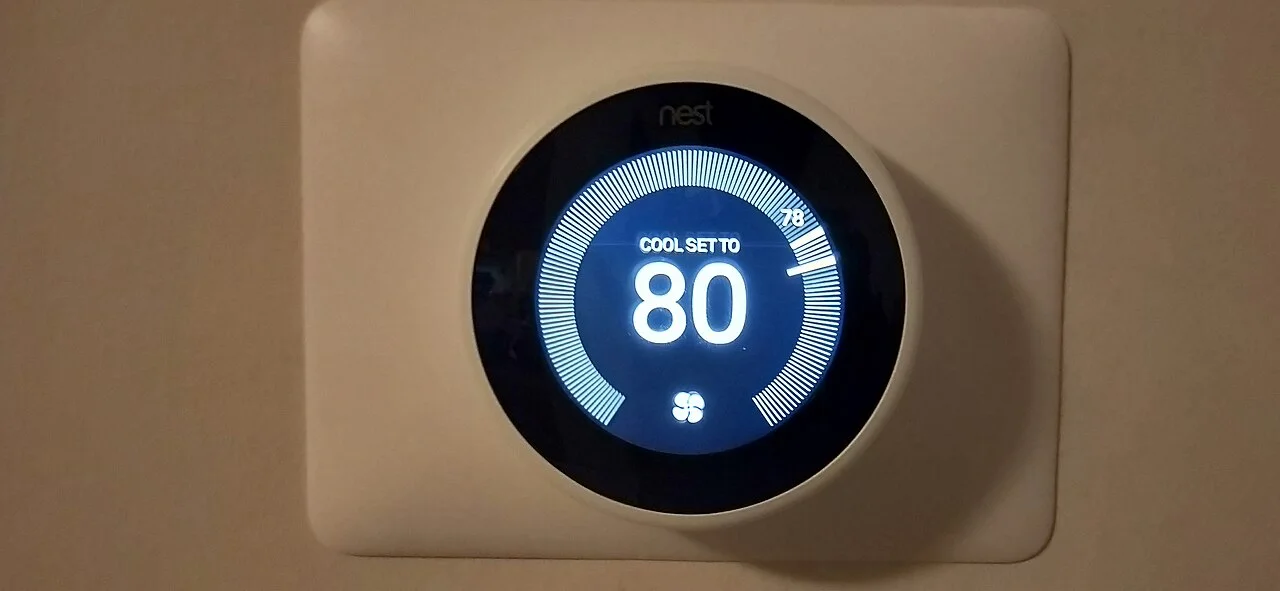
Try a normal manual change from the wall control. Ask another member of the home to do the same without an app. Find out how long the change lasts and how to return to the schedule. A display that shows a new target without saying it will hold indefinitely invites mistakes. Keep the approved manual instruction somewhere accessible. The person at home needs a useful local control when the person with the administrator account is away.
Collect a short baseline on ordinary days
For a few days, note when people are awake, at home, and comfortable. Record unusual conditions such as a long period of direct sun or several hours of cooking. Compare a representative room with what the thermostat says. Use a suitable thermometer away from direct drafts or heat sources. Check the same location and approximate time on different days so the observations can be compared. A string of readings from different corners of the home tells a less clear story.
Keep a brief note of comfort complaints in people's own words. “Study felt cold at 9 a.m.” is more useful than “the schedule is too cold.” The timing gives you a chance to investigate the relevant sensor, room, and equipment behavior. A blanket request to raise a target may overheat another room while leaving airflow in the study unchanged. Use the note to identify where a schedule can help and where the issue belongs to the building or equipment.
If energy reporting is available, record what the app measures. A runtime report can tell you how long a particular device operated, but the cost may depend on weather, equipment stage, and energy prices. A mild week after a schedule change is a poor match for a cold week before it. Treat the report as a source of questions until you can compare broadly similar conditions or examine a longer run of data.
Use changes small enough to understand
Begin with a simple schedule divided into periods that actually exist in the household. A stable overnight block, morning start, daytime period, and evening can be enough. A different weekend pattern may be the only extra complexity you need. Keep the initial targets within a comfortable range for the people and animals affected and any requirements of the home. A large reset gives you several variables to manage while also increasing the odds that somebody will cancel the whole plan.
Make one small change and watch recovery toward the next occupied period. Some thermostats learn to start early so a room is ready at a scheduled hour. If your model supports that behavior, compare the time the equipment started against the time someone noticed the room felt comfortable. Heating systems differ in recovery time. A residence that responds slowly may need the schedule shifted before it needs a more aggressive temperature setting.
Heat pump owners should seek model-specific guidance for setbacks and recovery, especially where the system can use a separate auxiliary heat source. The ENERGY STAR technical criteria distinguish certain reporting for heat pump installations, including resistance heat use. Learn how your specific setup signals which stage is running. If the behavior is unclear or costly, someone experienced with the equipment can help decide whether a schedule or configuration is appropriate.
Understand how presence affects more than one person
An app that considers one person's location can easily conclude the home is empty while someone else still needs heat or cooling. Review whose devices and which sensors the system uses. Check what happens if location access was denied, a phone is off, or a visitor is present. Explain the arrangement to everyone affected and obtain any needed consent before adding their account or device. Occupancy data can reveal patterns about a person's day.
Test absence behavior under controlled conditions. Leave one consenting person in the house and have another take an ordinary trip. Look at which mode the thermostat displays and whether the person at home can change it. Set up an approved way for a visitor or caregiver to override the schedule without giving broad account access. A routine that depends on every occupant owning a compatible phone can exclude someone who needs the most straightforward control.
Try a day in which the unreliable signal is simply ignored. See whether a manual schedule covers more of the household's needs than a system that eagerly shifts modes. A person on different work shifts might need only an easily selected home mode, while a family with consistent departures can benefit from a simple away period. Choose the arrangement that is easiest to explain after a week of exceptions.
If two parts of the home are intentionally controlled separately, run the same short schedule check for each one. Mark which physical control operates which area before sharing instructions with somebody else.
Make the fallback visible
Test basic control during a short network interruption when household conditions make it appropriate. Use the model's documented local controls and temporarily disconnect only the relevant internet path if you can do so safely. Do not interrupt power to a system or leave a residence without necessary temperature control. Verify the action you can still take from the wall, how the clock and schedule behave, and what the app tells you once connectivity returns.
Keep contact details for the person, landlord, or provider responsible for repairs. Know where the current schedule is written down and how to return from an extended absence. Save essential equipment information in a place available to people with legitimate responsibility. A service visit can reset settings, so a rough record of ordinary target times helps restore the useful parts of the routine without repeating weeks of changes.
Use the vacation or extended hold function only as the product documentation and household conditions allow. Check who can cancel it and what next scheduled event will occur. If an app can close a temporary state remotely, verify that feature separately from local control. When an elderly relative, house sitter, or another visitor will be present, leave a clear explanation and keep an accessible way for them to manage comfort.
When comparing results, look for several similar days and record any changes to occupancy or equipment. A warm week with visitors and an unusually quiet week can use energy differently even if the weather seems comparable. Try reading the bill or the utility's own usage data when it is available rather than translating a thermostat graph directly into spending. If a utility program temporarily changes the target under terms you accepted, learn how its notification appears and how the supported override works. That event is another source of variation worth marking before you attribute every change to the schedule.
Revisit the plan under a different sky
A schedule that works during sunny early autumn may feel different when days become short or hot weather raises overnight temperatures. Check the first few unusual days of a new season. Change a single period if evidence points there, then observe again. If equipment is struggling to meet a reasonable target, consult service rather than treating automation as a repair. A thermostat can request work from the system, but room airflow, insulation, and equipment performance determine much of the result.
A successful schedule is recognizable without opening an analytics view. People know how to stay comfortable, visitors can use the wall control, and the thermostat rarely surprises someone who is still in the house. The useful automation is the piece everybody can leave on because it accommodates a normal Tuesday and remains simple enough to change on a day that is different.